WooCommerce extensions · made in Sweden
Plugins for stores that actually deliver.
Online menus, delivery zones, time slots and live order approval for WooCommerce. Made by a small team in Sweden that answers its own support email.
The plugins
Everything between “add to cart” and “it’s here!”
01 For restaurants
Food Online Premium
Online ordering for restaurants. The whole thing.
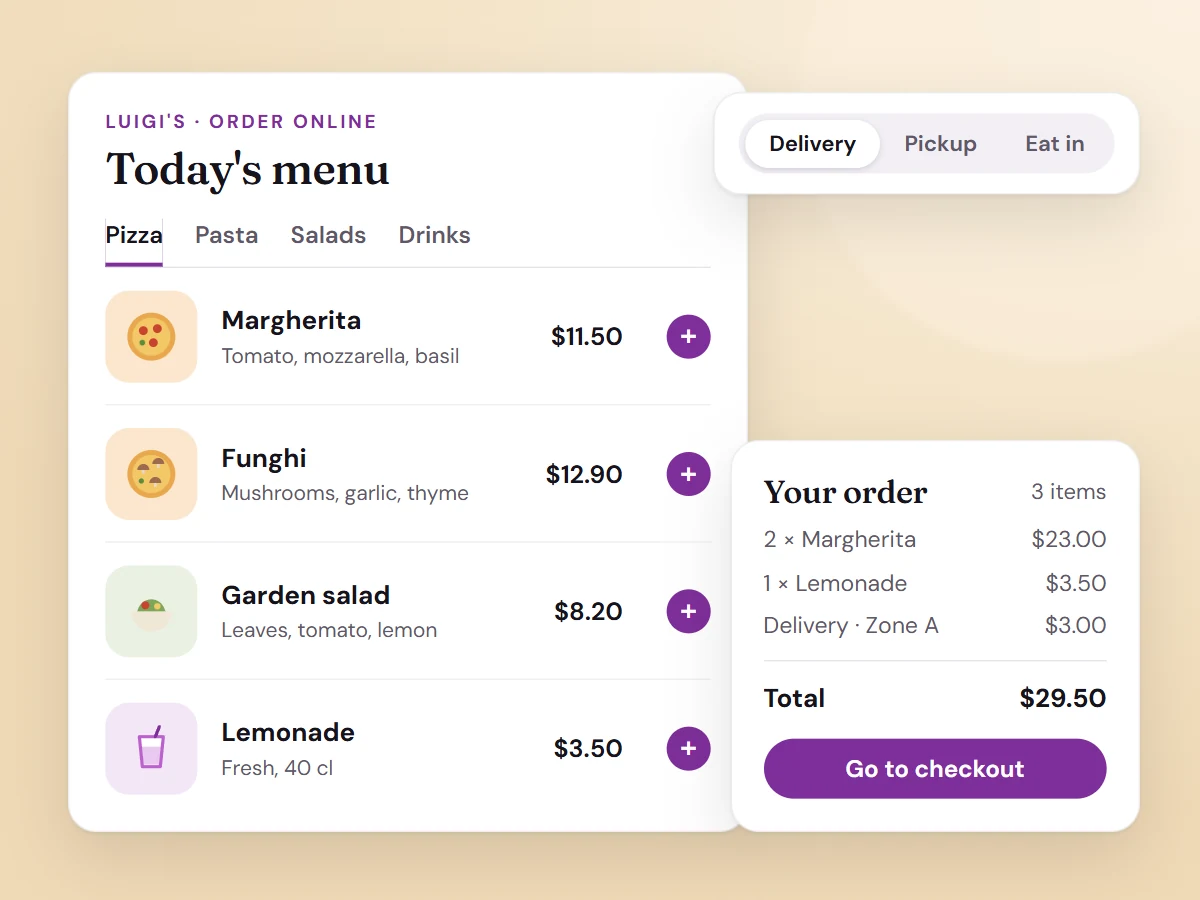
Food Online turns WooCommerce into a complete ordering system for a restaurant: the menu, delivery, pickup and eat-in, delivery areas and fees, opening hours and time slots. One plugin instead of five, and the orders end up in WooCommerce like any other order.
- Online menu with categories, options and a sticky cart
- Delivery, pickup and eat-in in one selector
- Delivery zones, minimum order and fees
- Opening hours, preparation times and time slots
- Address check before the customer orders
02 Delivery
Shipping Zones by Drawing
Draw where you deliver. With your mouse.
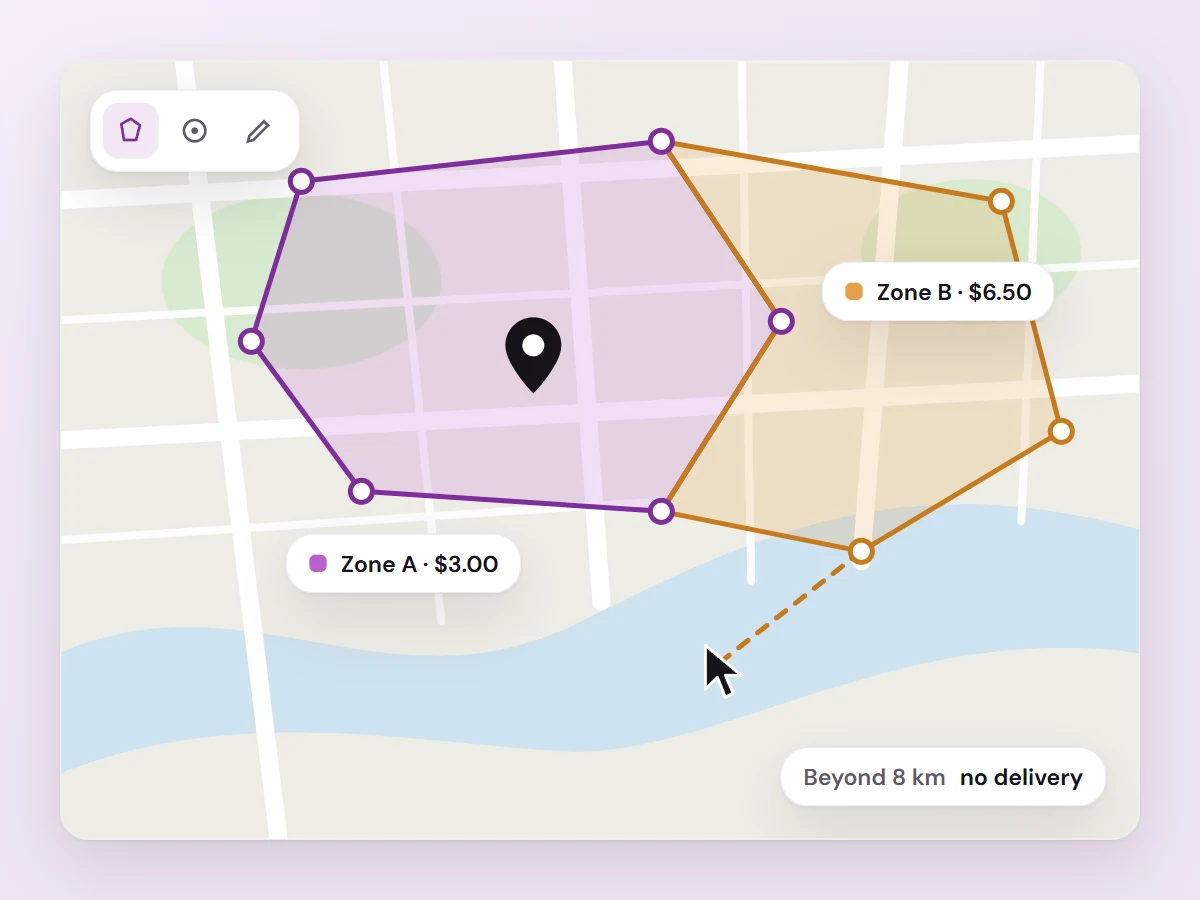
Skip the endless postcode list. Draw your delivery zones on a map and set a rate per zone, or let the price follow the driving distance from your store.
- Draw and edit zones on a Google map
- Rates by zone or by distance
- Show customers a map of your delivery area
- Premium: let an AI assistant set it up
03 Checkout
Time Picker
Let customers choose when (within reason).
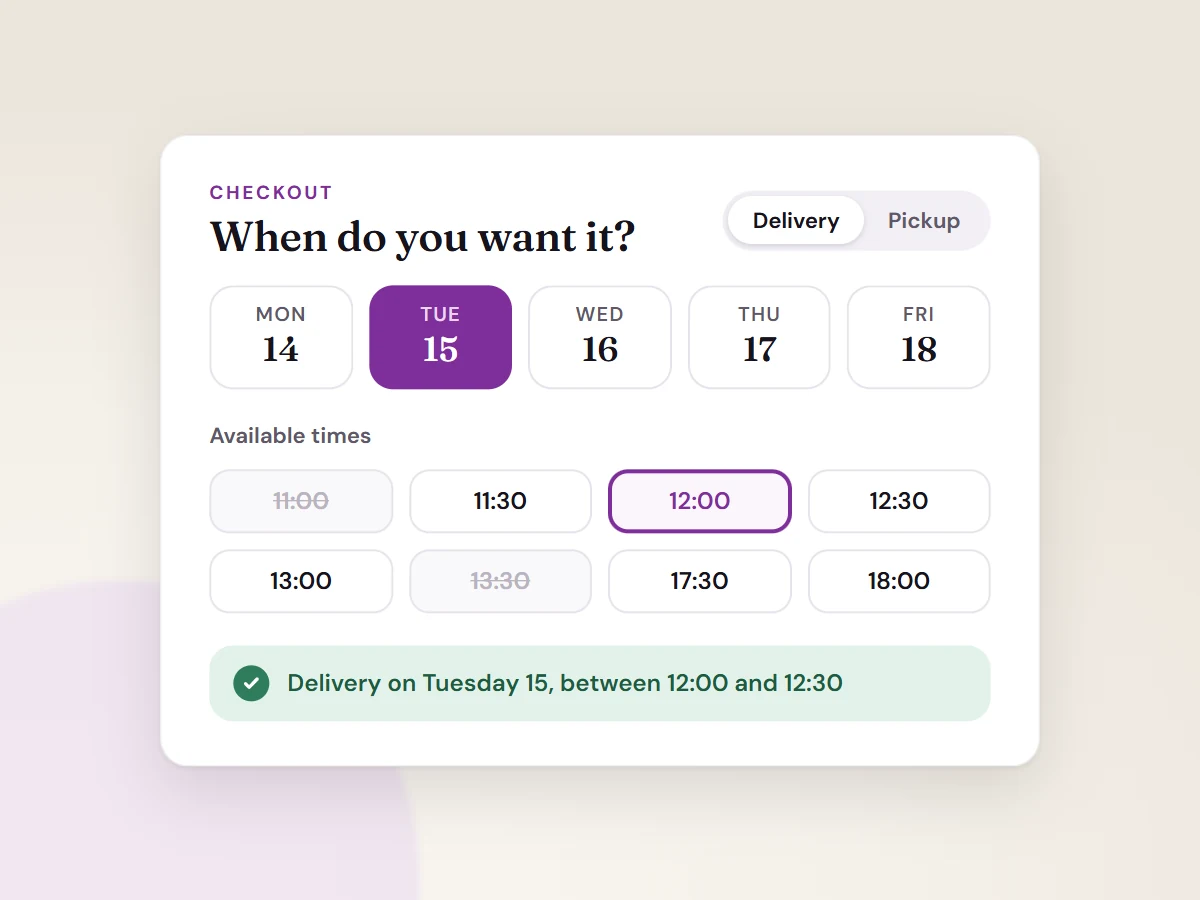
A date and time selector at checkout for pickup and delivery. You set the opening hours and time slots, customers pick from those. Nobody orders a pizza for 3 a.m.
- Separate schedules for pickup and delivery
- Time slots per weekday or for single dates
- Works with the classic and the block checkout
04 Order handling
Live Order Confirmation
Say yes before they start to worry.
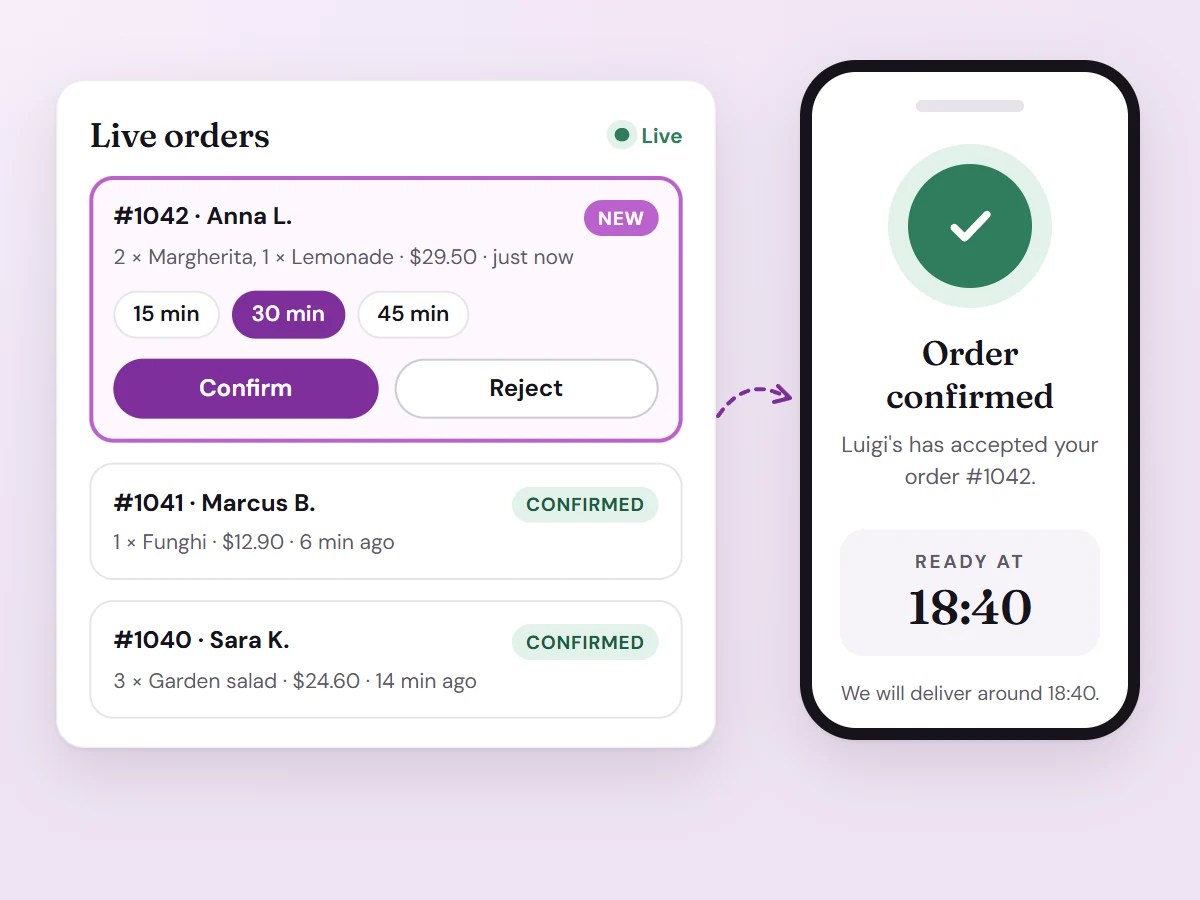
New orders pop up on a live order page. Confirm, reject or set a fulfillment time, and the customer sees your answer in the browser right away. Fewer “did my order go through?” calls.
- Live order page without reloading
- Confirm, reject and set a fulfillment time
- Customer is notified on screen and by email
05 Delivery
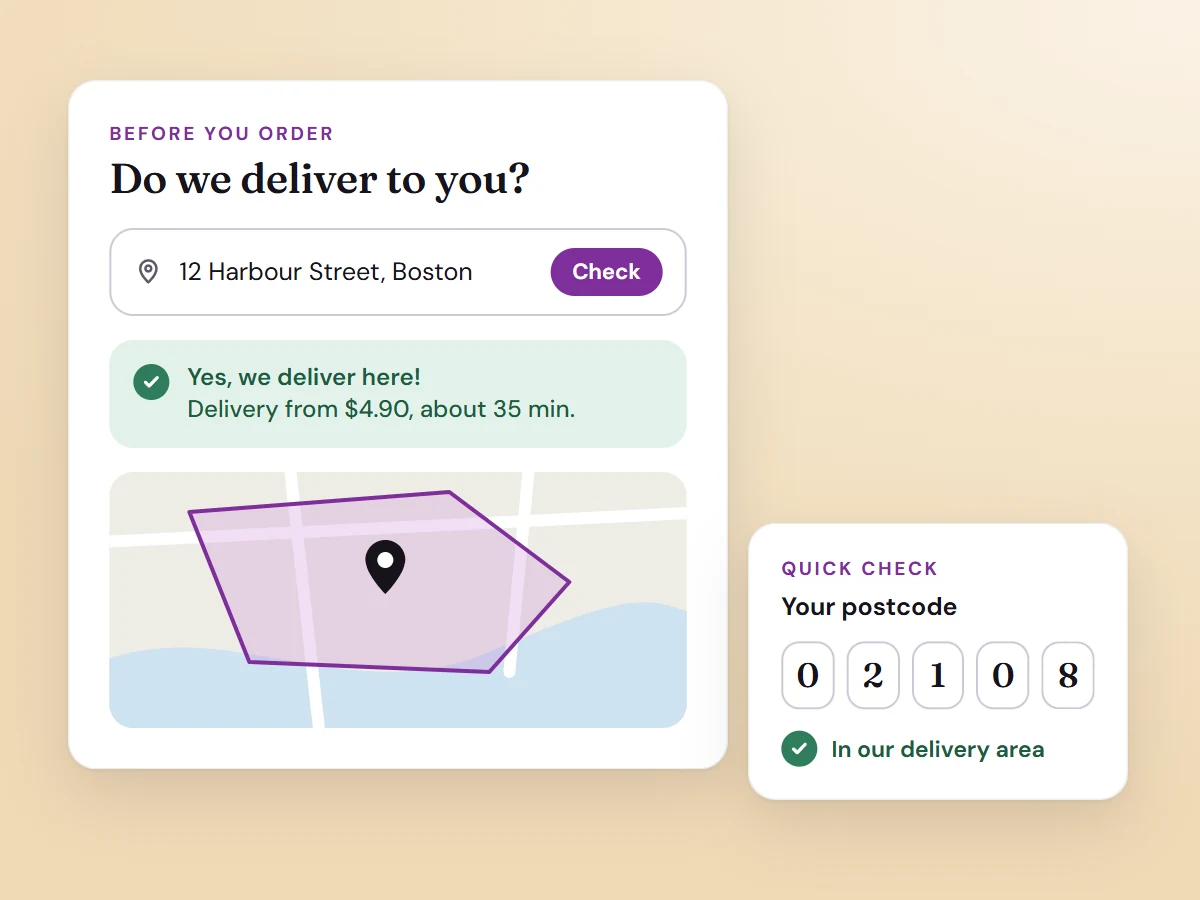
Check My Address & Check My PostCode
Answer “do you deliver to me?” before they ask.
Visitors check their address or postcode against your shipping zones before they fill a cart, and see what delivery costs. No disappointment at checkout.
- Address check with Google Maps, or a simple postcode check
- Pick the exact location on a map
- A checked address is filled in at checkout
06 Wholesale & B2B
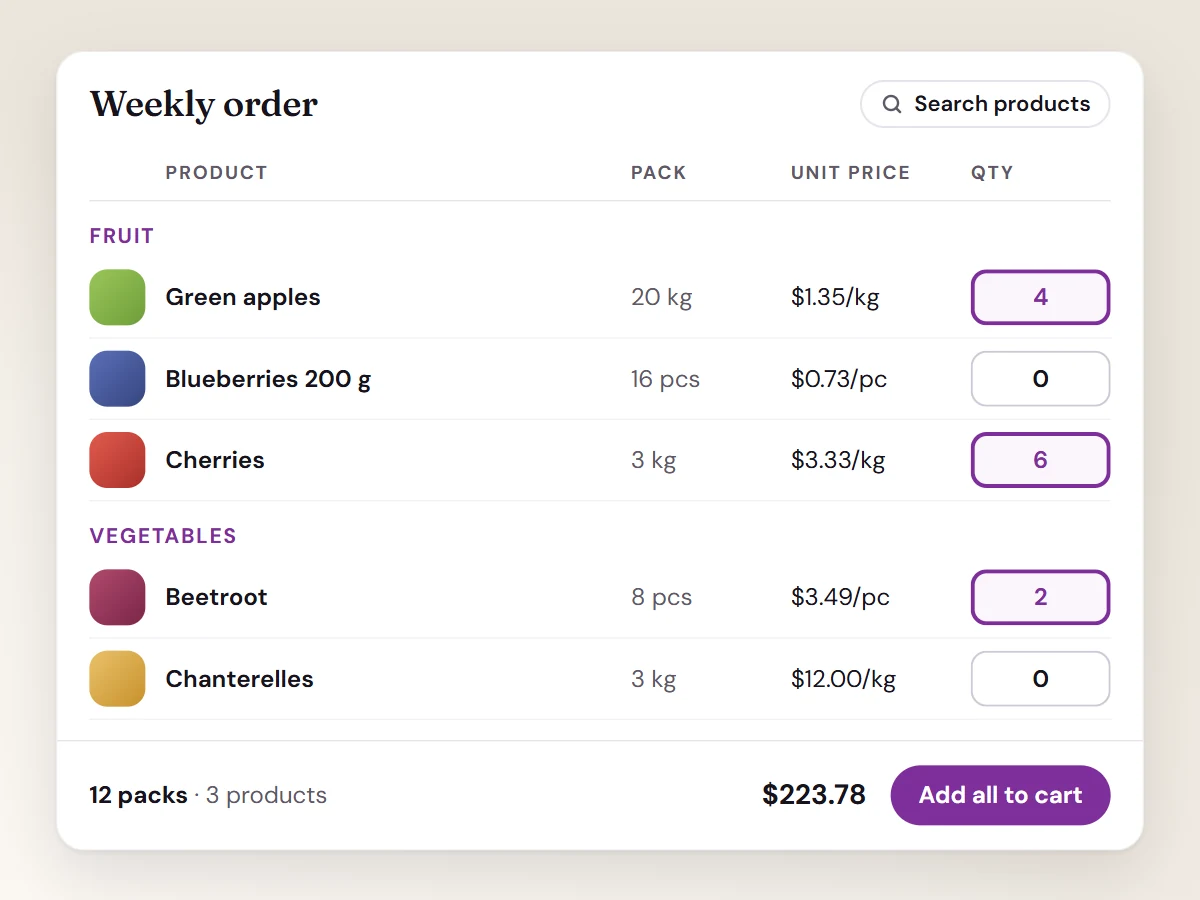
Wholesale Order Table
Wholesale ordering without the spreadsheet.
All products in one table. Customers type quantities and add everything to the cart in one go. Your regulars will thank you.
- Choose columns: SKU, attributes, unit price and more
- Unit price calculated from the package size
- Group by category, with a sticky table header
All plugins
Pick what you need. Skip what you don’t.

Time Picker
Let customers choose date and time for delivery or pickup at checkout.

Food Online Premium
Online menus and an ordering portal for restaurants.

Shipping Zones by Drawing
Draw your own delivery areas on a map and set shipping rates per zone.

Live Order Confirmation
Accept or reject orders instantly while the customer waits.

Check My Address
Let customers check if you deliver to their address.

Check My PostCode
A quick postcode check for your delivery area.

Wholesale Order Table
Turn your store into a fast wholesale order system.
Bundles
Two plugins that get along
For delivery stores
Shipping Zones by Drawing + Check My Address
Draw your delivery areas and let customers check their address before they order.
For restaurants
Food Online Premium + Live Order Confirmation
An online menu with instant order approval, so customers know their order is accepted.
Changelog
Latest releases
Fixes and new features, straight from the changelog. No press release needed. Subscribers download every update from My account.
- Shipping Zones by Drawing 3.4.1
New: AI assistants (MCP) can troubleshoot from the plugin's logs. An administrator's assistant can read the Google request log, its own change log and PHP fatal errors in the plugin, and turn on Log Google Server Requests for a set number of hours, after which it turns itself off. See Troubleshooting with logs.
- Food Online Premium 6.0.2
New: Automatic updates from arosoft.se with your license key. Enter the key under WooCommerce → Settings → Food Online Premium → License. Install 6.0.2 manually once; later versions arrive as normal plugin updates.
- Time Picker 1.1.0
New: Choose the look of the picker on the block checkout: drop-down lists or date and time buttons in a panel, grouped by morning, afternoon and evening, with a bottom sheet on phones.
- Check My Address 1.6.0
New: Check My Address block for the block editor. Set texts, placeholder, layout, colors, result style, messages and behavior per block without a shortcode.
- Check My PostCode 1.5.0
New: Check My PostCode block for the block editor. Set texts, placeholder, layout, colors, result style, messages and behavior per block without a shortcode.